Watch lessons on TV via Chromecast
The CycleMasters lessons are easy to watch on your TV via Chromecast You cast the lessons from your phone, tablet, or computer to a TV or projector.
This is how Chromecast works:
- Make sure your device and your Chromecast are connected to the same wifi network.
- Open the CycleMasters app or the CycleMasters website.
- Log in and start a lesson.
- Tap or click on the Chromecast icon in the video screen.
- Select the TV (or projector) on which you want to play the lesson.
The CycleMasters lesson will now play on your TV, while you can choose another lesson or maintain control on your device.
Workout data on your TV
When casting via Chromecast, timers and available sensor data are also shown on your TV. Which sensor data you see depends on the sensors you have connected.
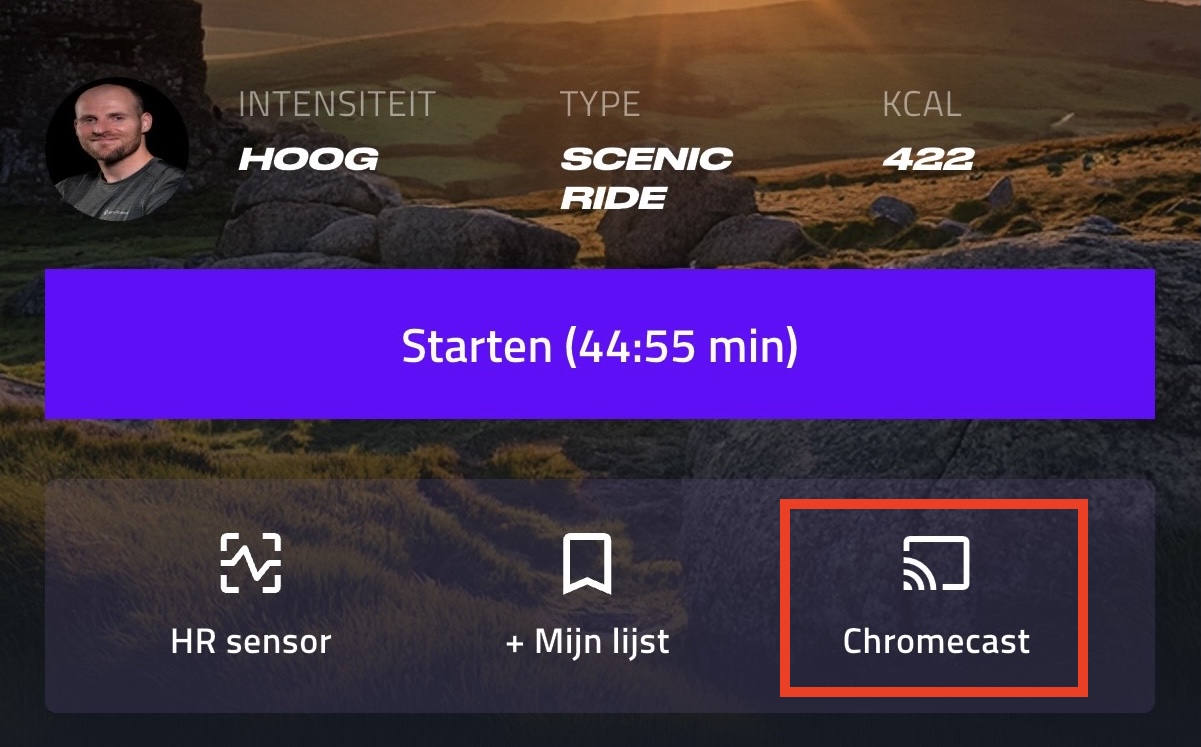
If you use the CycleMasters app, you can also choose to turn on Chromecast in the lesson detail screen. You will find the Chromecast icon under the 'Start' button.
Compatible devices for Chromecast
Chromecast works with the following devices:
- Android smartphones and tablets that meet the CycleMasters app requirements (Android 8 or higher)
- iPhone and iPad with iOS 16 or later for the CycleMasters app
- Windows, Mac, and Chromebook computers via the Chrome browser
For computers:
- Always prefer to use the latest version of Chrome
- Ensure that all devices have the latest software updates installed.